


Vous ne serez pas autorisé à comparer plus de 4 produits à la fois
Voir comparer

Vietnam eSIM
Use code NEW15 at checkout for an instant 15% off on all Vietnam eSIM plans.
How it works
-
1
Check compatibility
Most phones support eSIM .
-
2
Purchase & receive
Buy online and receive your QR code by email instantly.
-
3
Scan QR code
Go to Settings > Cellular > Add eSIM and scan the code once.
-
4
Connect & explore
Activate on arrival for full 4G/5G coverage wherever you go.
Description
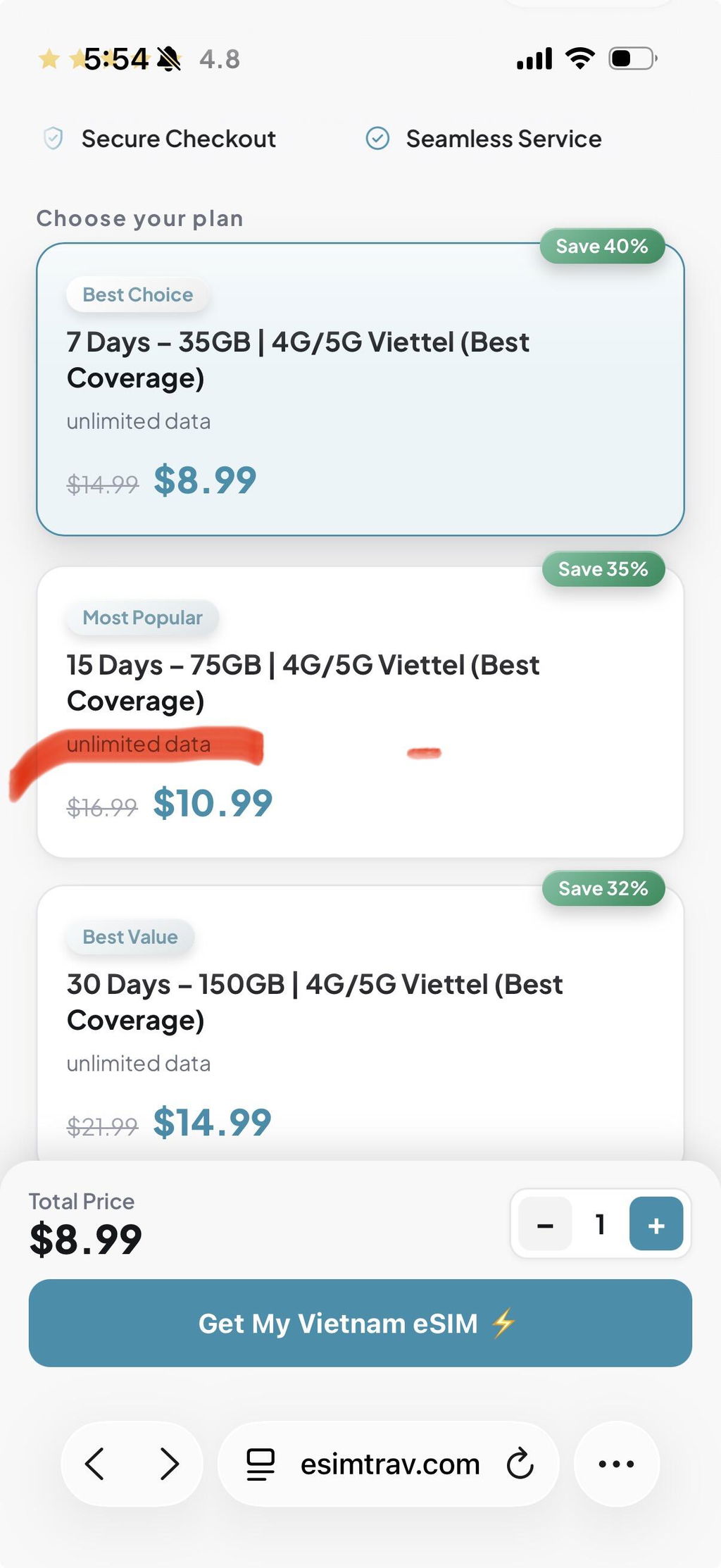
Data Allowance: 35 GB / 75 GB / 150 GB, depending on plan
Data Speed: 5G where available, 4G LTE nationwide
Tethering / Hotspot: Included on every plan
Cellular Network: Viettel (Premium coverage) ·
Mobile Plan Type: Prepaid, data only FUP 5GB Daily
Mobile Number: Not included — see below
Activation: Automatic once installed
Installation: Scan the QR code, or enter the SM-DP+ address and activation code manually
Delivery: QR code by email, typically within two minutes of checkout
Two networks. One decision.
Premium — Viettel. Vietnam's largest network, and the only one worth carrying past the city limits. It holds a signal on the Ha Giang loop, through the karsts at Ninh Binh, along the coast to Hoi An and out to Phu Quoc. 5G in Hanoi, Da Nang and Ho Chi Minh City; 4G the rest of the way.
About the Vietnam eSIM
Land in Hanoi and you're already online. Install the eSIM at home before you fly, and Vietnam simply works the moment you leave airplane mode — no SIM counter at arrivals, no swapping out your own number, no roaming bill waiting for you when you get back.
This is a data plan, so there's no Vietnamese number attached to it. Keep your own SIM in the phone for bank codes and Grab confirmations, and set the eSIM as your data line. Calls over WhatsApp, Zalo and FaceTime are unaffected. Tethering is included, so your laptop, your camera and the person travelling with you all come along.
Your handset needs to support eSIM and be carrier-unlocked. Check your model before you buy. The QR code scans once, so keep the email.
Fair Usage Policy: Your allowance is as listed above. Network operators may manage speeds during periods of heavy congestion to keep performance stable for everyone.
Note: If your QR code hasn't arrived after purchase, check your spam folder, then write to support@esimtrav.com or message us on WhatsApp using the number on our website. Someone is on hand at any hour.
Seamless connectivity, or your money back.
Install in iOS
1. Check compatibility. iPhone XS or newer, running iOS 12.1+.
2. Open Settings. Go to Settings > Cellular > Add eSIM.
3. Scan the QR code. Use the code from your confirmation email, or enter the details manually.
4. Label the plan. Name it so you can tell it apart from your home line.
Install in Android
1. Check compatibility. Most Android devices from 2019+ support eSIM (Google, Samsung, and others).
2. Open Settings. Go to Settings > Network & internet > SIMs > Add eSIM (menu wording varies by device).
3. Scan the QR code. Use the code from your confirmation email, or enter the details manually.
4. Activate. Turn on data roaming for the new eSIM once you land.

Stay connected wherever you go
Buy now, activate when you land.
Install your eSIM before you travel and enjoy seamless connectivity the moment you arrive.
No clock ticking yet
Your plan starts when you first connect.
100% Refund Policy
Not connected? Get a full refund, no questions asked.
High-Speed Data
Enjoy fast 4G LTE / 5G connectivity on trusted local networks.
Hotspot Enabled
Share your connection with your phone, laptop or other devices.
Calls & WhatsApp
Stay connected with WhatsApp and the apps you already use.
Instant Activation
Install before your trip and activate when you land.
24/7 Support
Need help? Our support team is available around the clock.
4.7
Rated on Trustpilot
Trusted by 20,000+ travelers worldwide
Connect
Explore
Travel freely
Explore
Travel freely

TRUSTED WORLDWIDE
Why do 20,000+ travellers choose eSIMTrav?
Seamless connectivity, fair prices, and support you can count on — wherever your journey takes you.
Seamless Connectivity
Stay connected wherever you travel with reliable eSIM data, without the hassle of physical SIM cards.
Lowest Price Guarantee
Get great connectivity at a price you'll feel good about. We guarantee competitive prices on our eSIM plans.
100% Refund Policy
Plans that don't work as promised? You're covered by our 100% refund policy.
24/7 Customer Support
Need help while travelling? Our support team is available 24/7, whenever you need us.

A
Very good price, cheaper than the other eSIM company ,esimtrav is the best
A
Watch out for daily data limits. The website is ambiguous when it comes to stipulating the conditions of use. Customer service is also unhelpful. Reconsider your options before buying from this site!
P
Good
D
I paid but did not receive a QR so paid $20 for absolutely nothing. I had to go buy a SIM card when I got to Vietnam.
A
Very easy to set up and connect to the service.
U
I recently visited Vietnam and used an eSIM from EsimTrav throughout my trip. The activation was quick, and the connection stayed reliable wherever I went.
I was able to use all the apps I needed without any issues, including Google Maps for navigation, Gmail for work, Instagram, YouTube, and general web browsing. Having internet from the moment I landed made the trip much more convenient, and I didn’t have to worry about buying a local SIM card.
Overall, it was a smooth experience, and I’d definitely recommend EsimTrav to anyone traveling to Vietnam.
M
Very simple and easy to purchase and use
R
Esimtrav made my Vietnam travel much easier. Their esim services are quite reasonably priced and simple to use. The activation was fast. I had good connectivity the entire time during my trip, travelling through different cities. I would recommend using esimtrav for a less stressful trip.
D
I utilized esimtrav for my trip to Vietnam and I feel that them providing a product that is one of the most affordable options available for travel was fantastic whilst also providing instantaneous support from the moment I landed in Hanoi. The esim was phenomenal for utilizing maps and keeping connected with family!
Y
I tested esimtrav while I was in Ho Chi Minh City, and everything went really well from start to finish. Overall, it seems like the ideal choice for an inexpensive/easy-to-use esim option. I did not experience any problems with reception during my travels.
D
I ordered the standard eSIM and only got 3G service in Hanoi, and sometimes 4G. Outside of the city, there was no service. I complained to customer service and they upgraded me to premium for free. The premium works all over Vietnam, even in northern/ remote areas (4G or 5G). So if you are planning on being outside a major city, you should get the premium.
M
They were very considerate. I bought an esim without checking if my phone was compatible. They offered to refund major part of the payment .
c
best eSIM for Vietnam with instant activation, reliable high-speed data, and affordable plans. I stayed connected across cities and remote areas without any hassle.
Q
As soon as you land you are connected , Best price as well
d
Instantly connected me to data .
J
Promise delivered
Q
I reached and was instantly connected